LiftLog
A native Android app for tracking workouts and visualizing workout trends. Built for my Android Development class as the final project. Runs on my Android device as a real app.
The assignment
The assignment was to create an Android app using all of the objectives and concepts covered in the Android Development class. We had to implement features like data persistence, UI components, an API connection, user interactions, a Toolbar and Menu, and a Dialog, and be presentable enough to publish on Google Play.
After months of using my phone's note taking app to log workouts, I chose to build an app that would help me track my workouts and display workout history. Now I can use this app to log my workouts and see how I'm improving.
How it works
If you are starting a new workout from scratch, you would open the app and on the home screen, you would tap the floating "+" button to start a new workout template. You would name the new template and click start. Once you clicked start, a timer would start counting and you would be able to add workouts.
When you click the "Add" button, the app takes you to the exercises screen where you would see a list of the most common exercises you have used. You can use the search bar to search for exercises that you don't see or use the quick muscle group filter buttons to see if the exercise you are looking for is there. Once you select an exercise, you would put the reps you did and the weight you did it at and click "Add".
After adding exercises, you can edit them if you put the wrong weight or did more reps than you initially recorded. When your workout is done and you have done all your repitions, you would click the "Finish Workout" button and now the template is saved and is able to be used in the future as a new workout. This means all the exercises are saved and all you need to do is change the reps and weight.
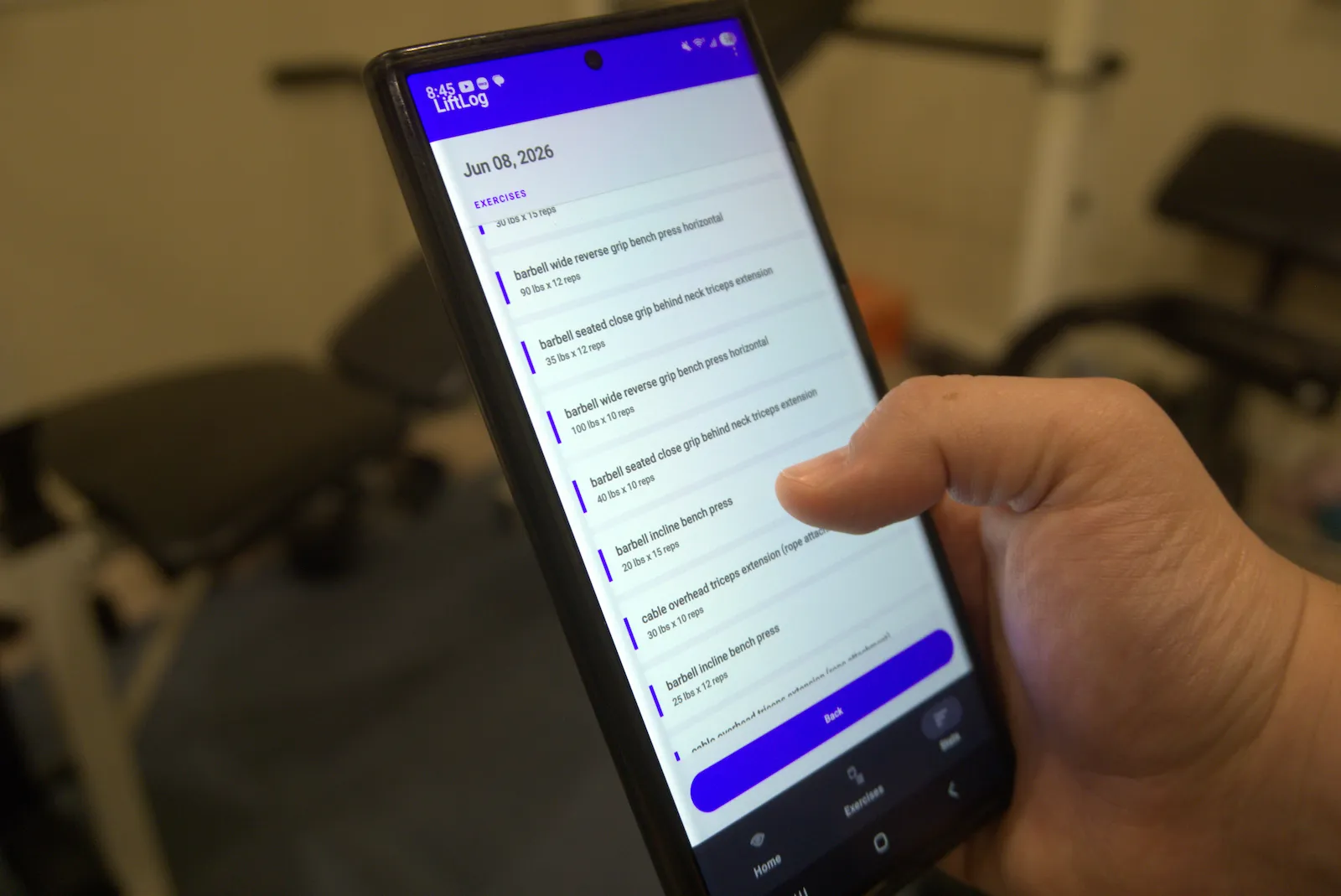
In the Stats screen, you would be able to see your workout template history with dates, total pounds lifted as a fun visualization, and when the templates are clicked you can see the exact exercises, reps, and weights you did.
Designing the Database.
Due to the flow of the app, the workout would always need to be created first. That way the exercise entry always lives inside of a workout. This means that saving a workout and associated exercise entries requires a specific order.
It wouldn't make sense to save the workout every time an exercise was added. This meant that exercise entries lived in memory until the user taps "Finish". If a workout was interrupted or the app was killed the exercises and workout would not save as they are living in memory. After clicking "Finish", the app inserts the workout first to generate an ID and then stamps those onto the exercise entries. An entry could not be saved or exist without a workout ID to tie itself to, making this order integral to how the app processes data and operates in general.
After designing the database on paper and finally implementing it with real data on the app, I quickly realized that I was missing a crucial data point: duration. Duration was important to me so that I could see how long each workout took. Instead of wiping the database and starting over, I decided to migrate the database from version 1 to version 2. I was able to populate the new duration column in my database using a one-time SQL UPDATE statement, and see how the duration data point would look on the UI.
LiftLog:
What I'd do differently
I would start by implementing the ExerciseDB API first and allowing that to write to my local RoomDB instead of creating the UI components first. I did it the other way around which made it easy to see where and how I wanted all my data to be shown, but led to difficult debugging efforts later on.
I would also use git more as a version control tool, rather than just solving issues as they arise and not keeping a trail of changes.