Universal Application Portal
Our capstone project was a centralized application portal for graduate school applicants and faculty reviewers. It streamlined the process of re-entering the same data and re-uploading the same files for every program. For faculty reviewers, it provided a centralized view of each applicant's documents and academic history, making the review process more efficient and less error-prone.
The capstone
Our capstone started as a loose set of guidelines at the beginning of the semester because the professor wanted to model working with a client that is unsure of every feature they need at the start of a project, and expected the team to adapt and refine the requirements as the project progressed. Following the first couple of weeks in class, we got into our groups and were given the choice to use the MERN stack (MongoDB, Express.js, React, and Node.js), which all of us in our group had learned in a previous class, or to use a new to us stack, which turned out to be C# and .NET. We chose to use C# and .NET for our project as a way to challenge ourselves and learn a new technology stack under a tight deadline.
As each week progressed, our professor would give us new features to implement by the next time we met. This iterative development process required us to adopt an agile development approach, which in turn made us use GitHub as a version control tool and Trello to distribute our tasks amongst ourselves. We all communicated using Slack to discuss who broke the database, or if anyone was stuck on their task, or to discuss edge cases that failed on someone else's code when testing their own.
Overall this Capstone encapsulated all the learning goals that we should have achieved by the end of our degrees. From understanding iterative development practices and meeting with a "client" to working within a deadline and treating everyone's time with respect by accomplishing the tasks we were assigned. From being able to plan, execute, and deliver on features from a week to week basis to actually learning the practices of the C# and .NET and coding within them. This was a great learning experience for us to practice what we had learned in our degrees and apply in a real-world project setting.
My part
I originally started by working on the profile management for each role, and as I mentioned before, our professor would assign new features he wanted week to week. As the weeks progressed, I took on more complex features and kept working on those features as new requests came in that would alter previous implementations.
- Profile management for every role
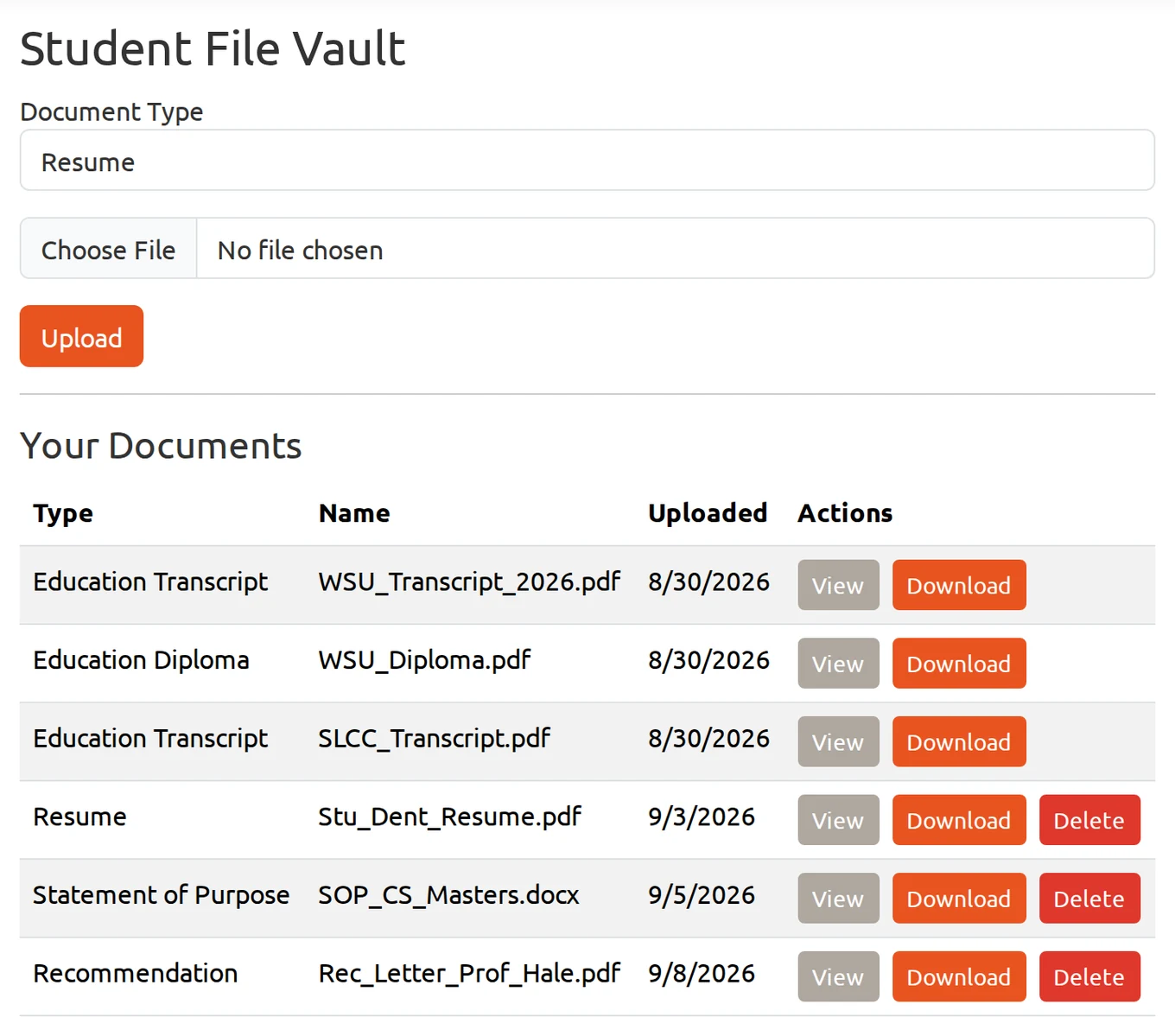
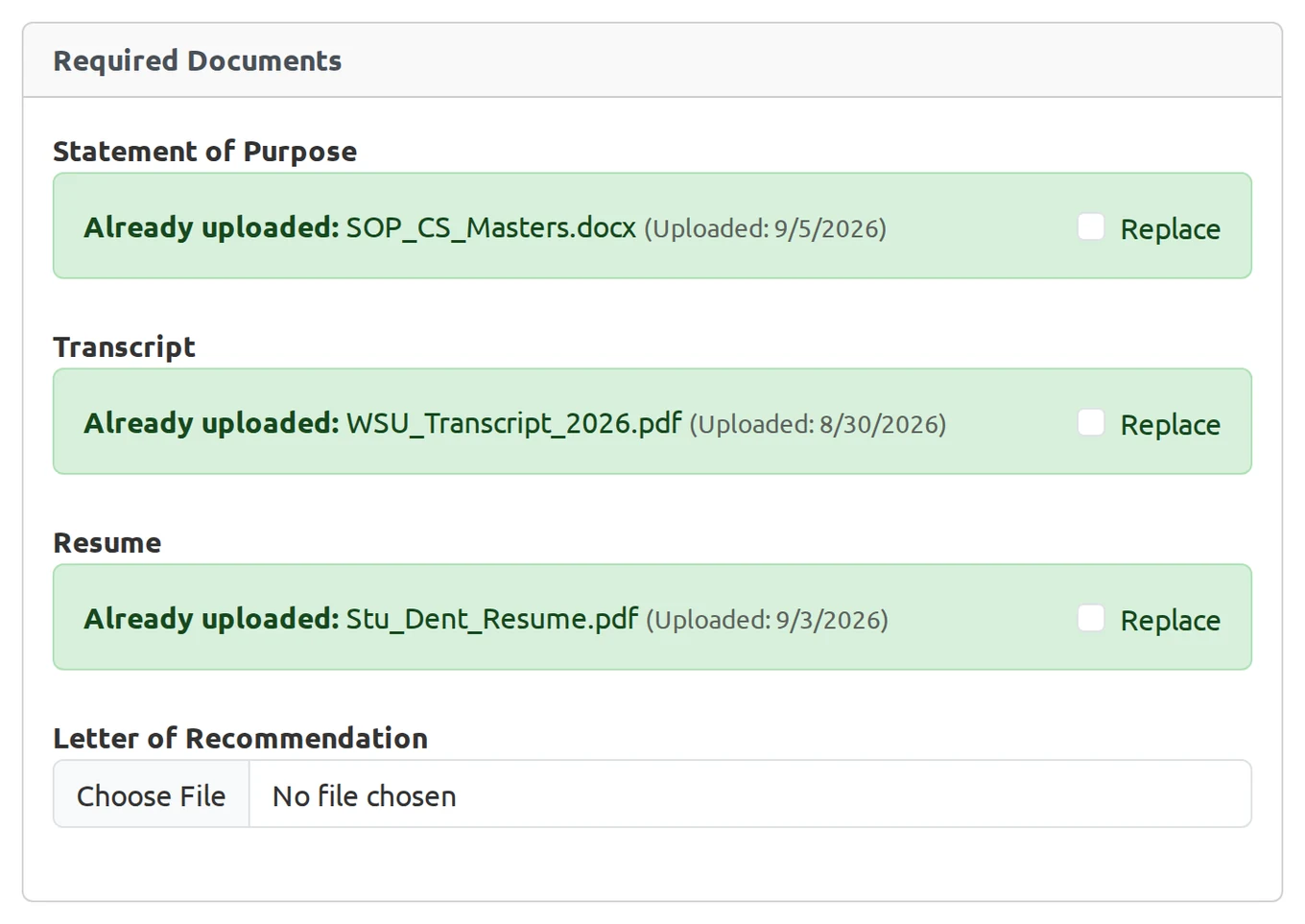
- The file upload system, including handling different file types like transcripts and resumes
- A file vault where students manage their documents
- Selecting files from the vault when applying, so nothing gets uploaded twice
- Encryption of uploaded files and all student data
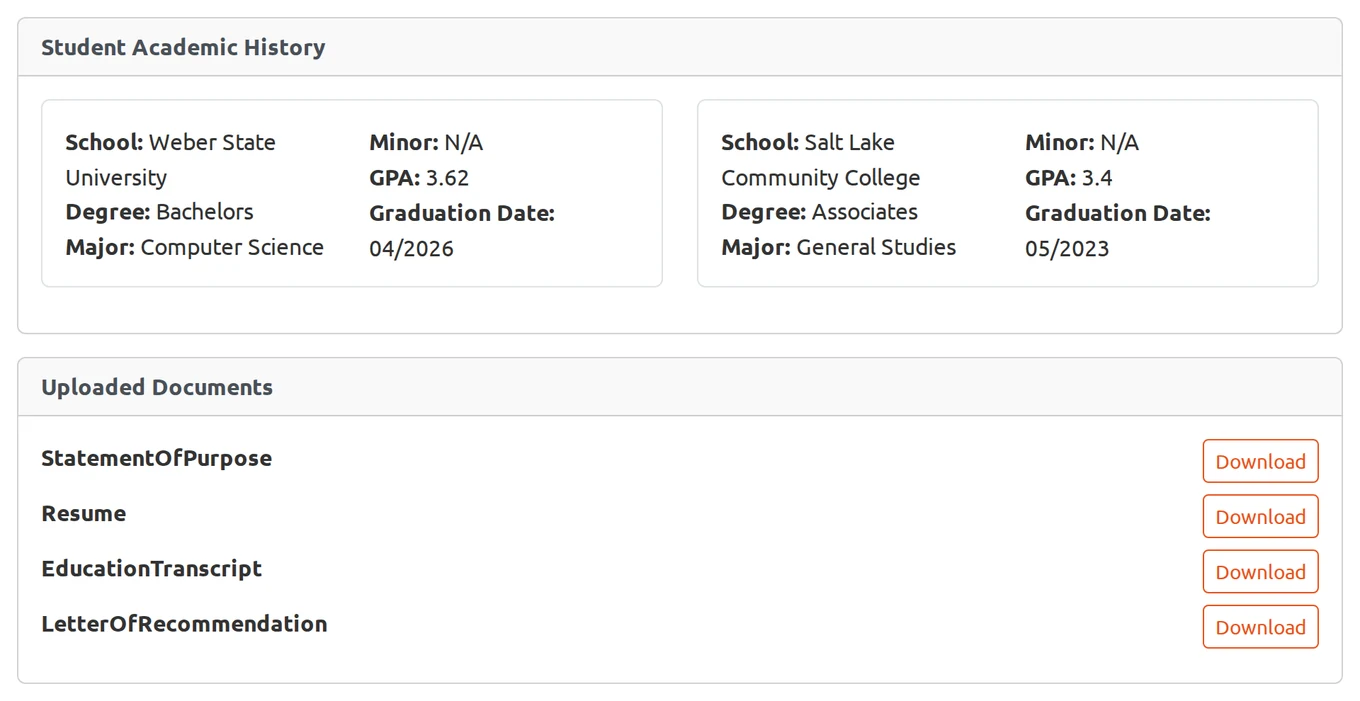
- Decryption of submitted documents for reviewer download
- The education view that shows reviewers an applicant's academic history
How it works
Student Flow:
A student signs up and then logs in. From here they can see an empty dashboard. They can search for universities and graduate programs they are interested in, put a deadline for their application date on their calendar in the portal, and start uploading reusable documents to the file vault (resumes, letters of recommendation, etc.). As well as academic history or transcripts. Once they find the university or program they want to apply to, they can start the application process which the university has tailored for their specific program. They can upload the documents they have uploaded and stored in the file vault, or if they need to upload new documents, they can do that in the application. Once applied the dashboard will show the status of their application, from waiting to being accepted or rejected. The student can also receive notifications about updates to their application status and any requests for additional information from the university.
University Flow:
A university admin would create an account on the portal and then set up the graduate programs for the different colleges that they offer. From there, the university admin would assign an admin for the specific colleges that were set up. Inside the college admin's view, they would be able to create departments (College of Science -> Math department, Botany department, etc.). After a department is created and a department admin account is set up, they can begin to create the application that will be specific to their department's requirements such as GPA, degree, and other relevant academic criteria. The application creation also creates a grading tool that the department admin can use to evaluate a score for each applicant based on the predefined criteria. At this point the department admin would create a committee of reviewers who will be responsible for evaluating the applications based on the grading tool and the predefined criteria. The abstraction works downwards, meaning a department admin would not be able to see another department's applications, programs, or committee members. This keeps going, the college admin can see the departments applications, programs that they are offering, and committee members. But they cannot see other colleges' applications, programs, or committee members. The university admin can see all. This hierarchical view ensures that sensitive information is only accessible to those who need it, maintaining privacy and security throughout the application process.
Encryption
As we got to implementing features, a conversation about encryption came up. We were going to be handling a lot of sensitive data, including passports for international students. We needed to make sure that we were following FERPA regulations, which require that student education records be kept confidential and secure. I took the task of implementing encryption for all sensitive data within the portal.
Without encrypting, the sensitive files would sit on the server's disk readable for anyone. I ended up using AES-256 with a random IV per file, encrypting the needed documents and decrypting in memory when serving. So if someone gets access to our database or our data gets leaked, it remains unreadable.
Screens from the project, shown with test data.
What I'd do differently
Next time I work on a project like this in a group setting, I think sitting down and creating a standard for our tasks and goals is a must. Had we created a better schema to follow when creating tasks on Trello, clearing tasks, or creating a goal, we would have been able to streamline our workflow and avoid some of the communication issues we had like multiple people doing the same work due to an unclear Trello task.